

At a glance
- A new domain starts at 20 emails a day and grows each day to its limit - 500 a day is reached in about 16 days.
- Each domain shows today's sending, the day of its warm-up, and its bounces and complaints over the last 7 days.
- A domain pauses by itself when bounces pass 3% or complaints pass 0.3% over 7 days.
- Fix the cause - usually the list - before you choose Resume.
Before you start
- Who does it
- A workspace admin. The main marketing address needs no add-on; more domains need the Marketing domains add-on.
- Where it is
- Admin, then Email settings, Marketing domains.
- Helps to have
- Bounce and complaint reports switched on for your email service, so Moirova hears about every one.
Read a healthy domain
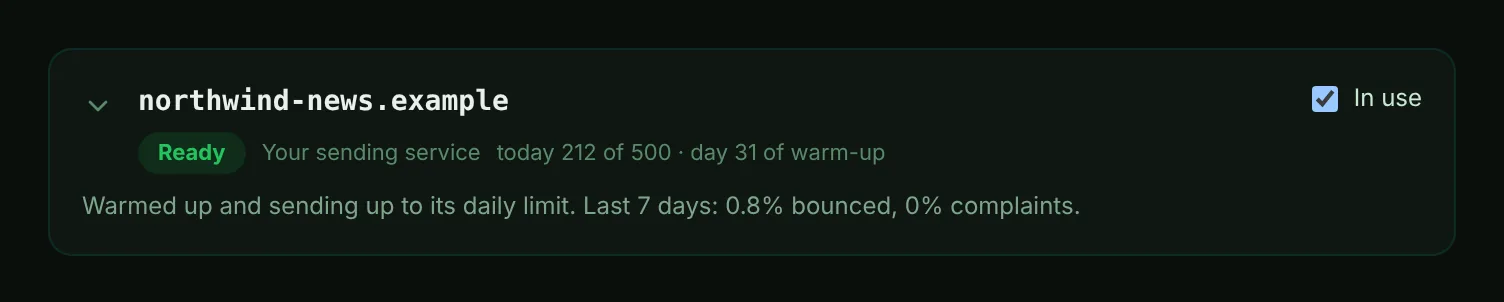
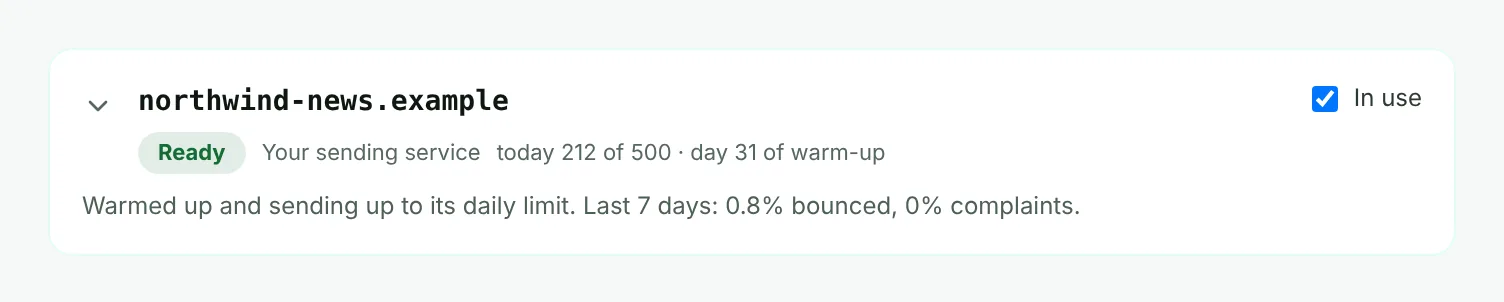
- Mark 1: Its state. Ready means warmed up and sending up to its daily limit.
- Mark 2: Today's sending against today's limit, and the day since it first sent.
- Mark 3: In use - only domains in use send. Clear it to rest a domain and free a place for another.
- Mark 4: Bounces and complaints over the last 7 days.
| State | What it means |
|---|---|
| Setting up | Add the DNS records shown below. The domain can be used once every record is in place. |
| Warming up | Sending a small, rising number of emails a day so inboxes learn to trust this domain. |
| Ready | Warmed up and sending up to its daily limit. |
| Not in use | Set up and kept, but not sending. Put it in use when a place is free. |
| Paused | Paused by itself because bounces or complaints were too high. Fix the cause, then resume it. |
How warm-up and daily limits work
- On its first day a domain sends up to 20 emails, and each day after that about a quarter more, until it reaches the limit you set.
- The limit is 500 a day unless you change it, from 10 to 5000. Change it in the domain's Emails a day box.
- An outreach mailbox starts at 5 a day and grows more gently, to its own limit.
- Each email takes its place in the day's count before it is sent, so a domain never goes over, even when several campaigns run at once.
- When a domain reaches its limit, its emails wait until the next day, counted in your workspace's time zone.
When a domain pauses itself
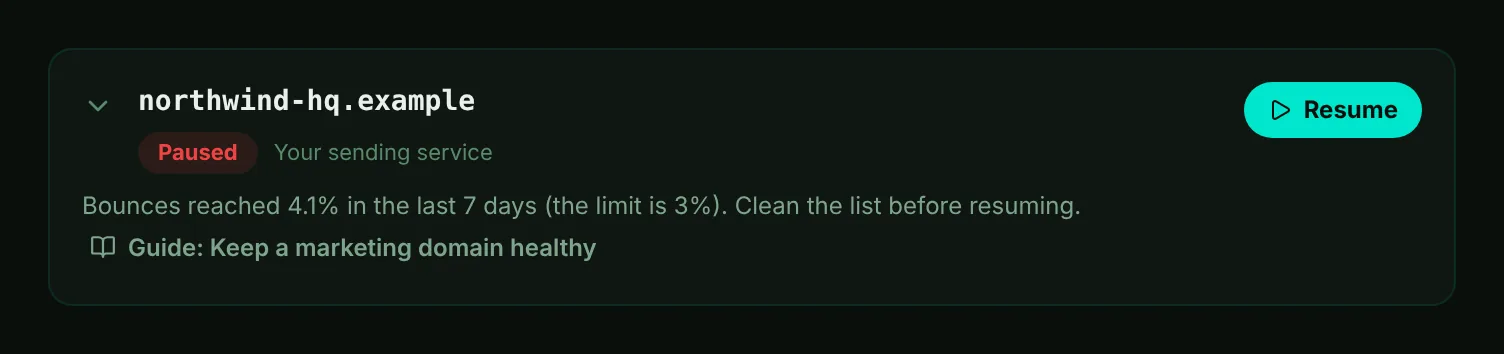
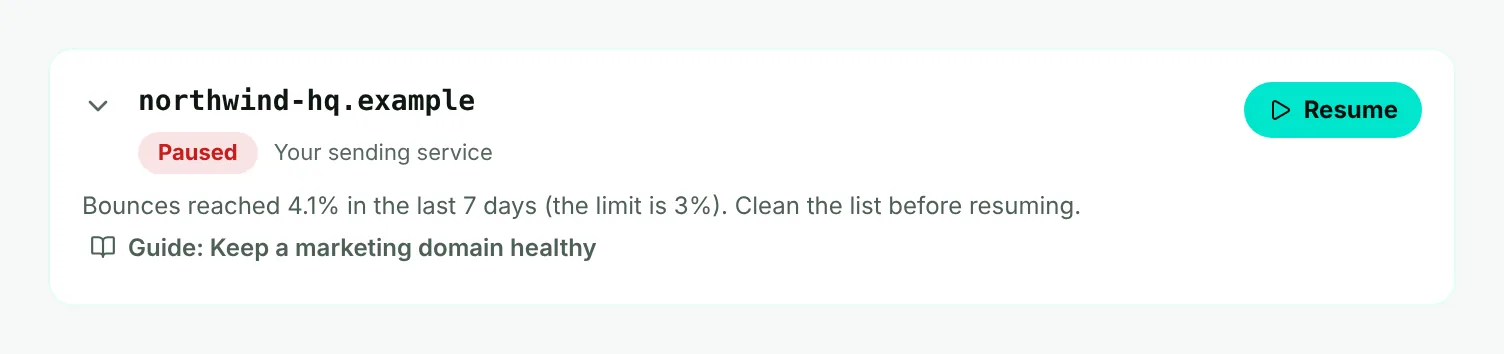
- Mark 1: Paused - the domain sends nothing, and campaigns carry on from your other domains.
- Mark 2: Why it paused, with the rate it reached and the limit.
- Mark 3: Resume - only once the cause is fixed.
| Over the last 7 days | What happens |
|---|---|
| Bounces above 2% or complaints above 0.1% | Keeps sending. Look at who recent campaigns went to before the rates reach the limit. |
| Bounces above 3% | Pauses the domain and records why. |
| Complaints above 0.3% | Pauses the domain and records why. |
Rates are judged once a domain has sent at least 50 emails in the 7 days, so a handful of early bounces does not pause a new domain.
Important
Your main marketing address pauses itself the same way. Campaigns sending from it pause too, with the reason - after you choose Resume on the address, resume each campaign in Marketing, Campaigns.
- Find the cause. Bounces usually mean old or bought addresses. Complaints usually mean people did not expect your email, or could not find how to stop it.
- Clean the list. Remove addresses that bounced and people who have not engaged in a long time. Moirova already skips every address that bounced, complained or unsubscribed.
- Choose Resume. The domain sends again within its limits. If it pauses again, look harder at who the campaign is going to.
When a record goes missing
Moirova checks every marketing domain's records by itself once a day, and you can choose Check records on a domain at any time. If a record it needs is no longer found in your DNS, the domain is taken out of use, so no email goes out from a domain that would fail the inbox checks. The daily check looks twice, an hour apart, before it does this, so one slow answer from a DNS server changes nothing.
- Your alert address - or your support address if no alert address is set - gets one email naming the domain and the missing record.
- Put the record back at your DNS host, then choose Check records. Once the domain shows Ready, turn In use back on. Your main marketing address goes back into use by itself at the next check.
- Warm-up carries on from where it was: a domain that lost a record does not start over.
- If the daily check cannot reach every record, nothing changes and it tries again a few hours later.