

At a glance
- Admins set the stages in Admin, then Pipeline.
- Rename a stage instead of deleting it: everyone in it stays where they are.
- Nothing changes for your team until you choose Save All Changes.
- A pipeline needs at least two stages.
Before you start
- Who does it
- A workspace admin.
- Where it is
- Admin, then Pipeline (under Sales Setup).
- Good to know
- A new workspace starts with a ready set of stages. Rename, reorder and recolor them to fit how you sell.
Read the stages
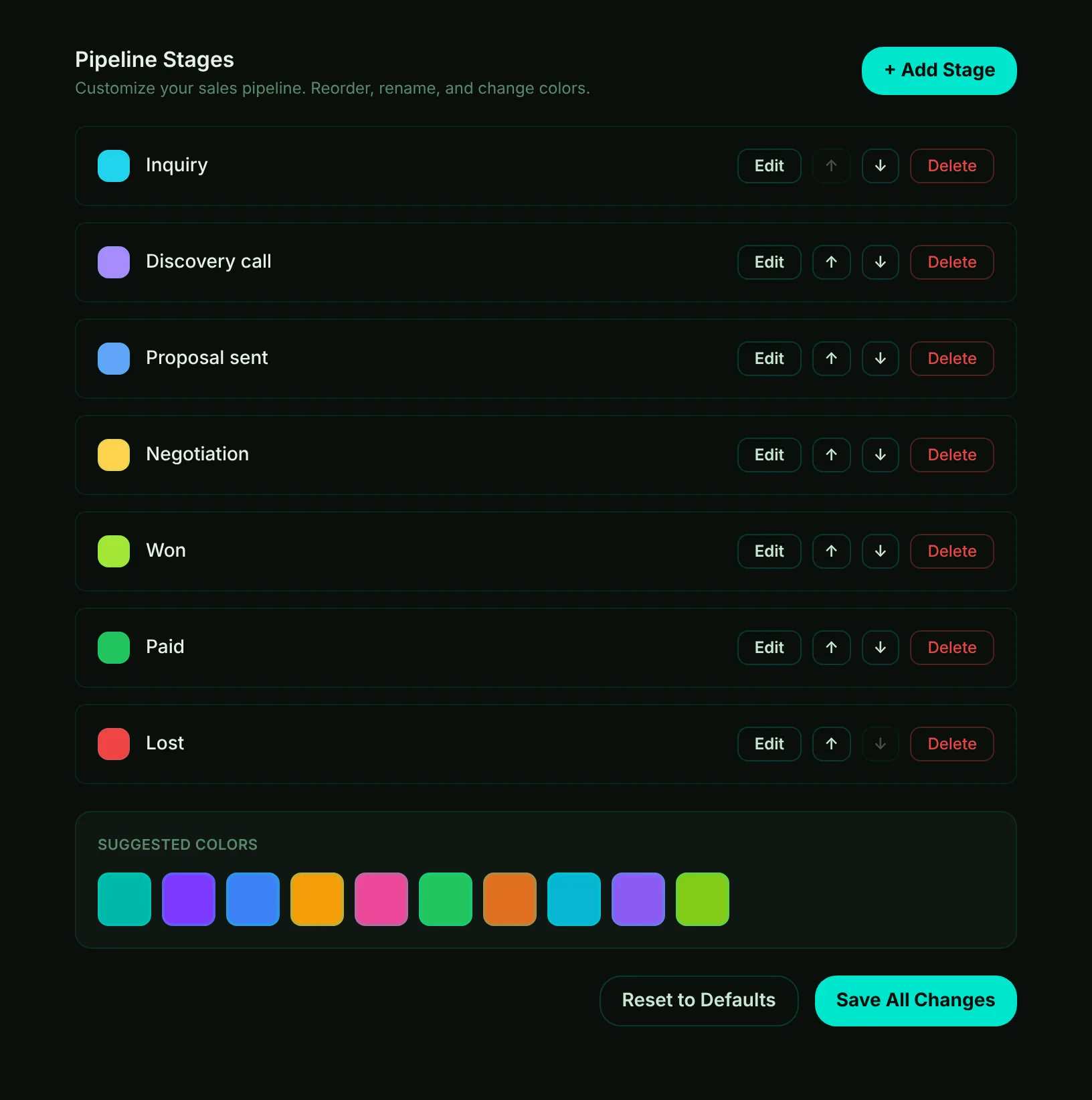
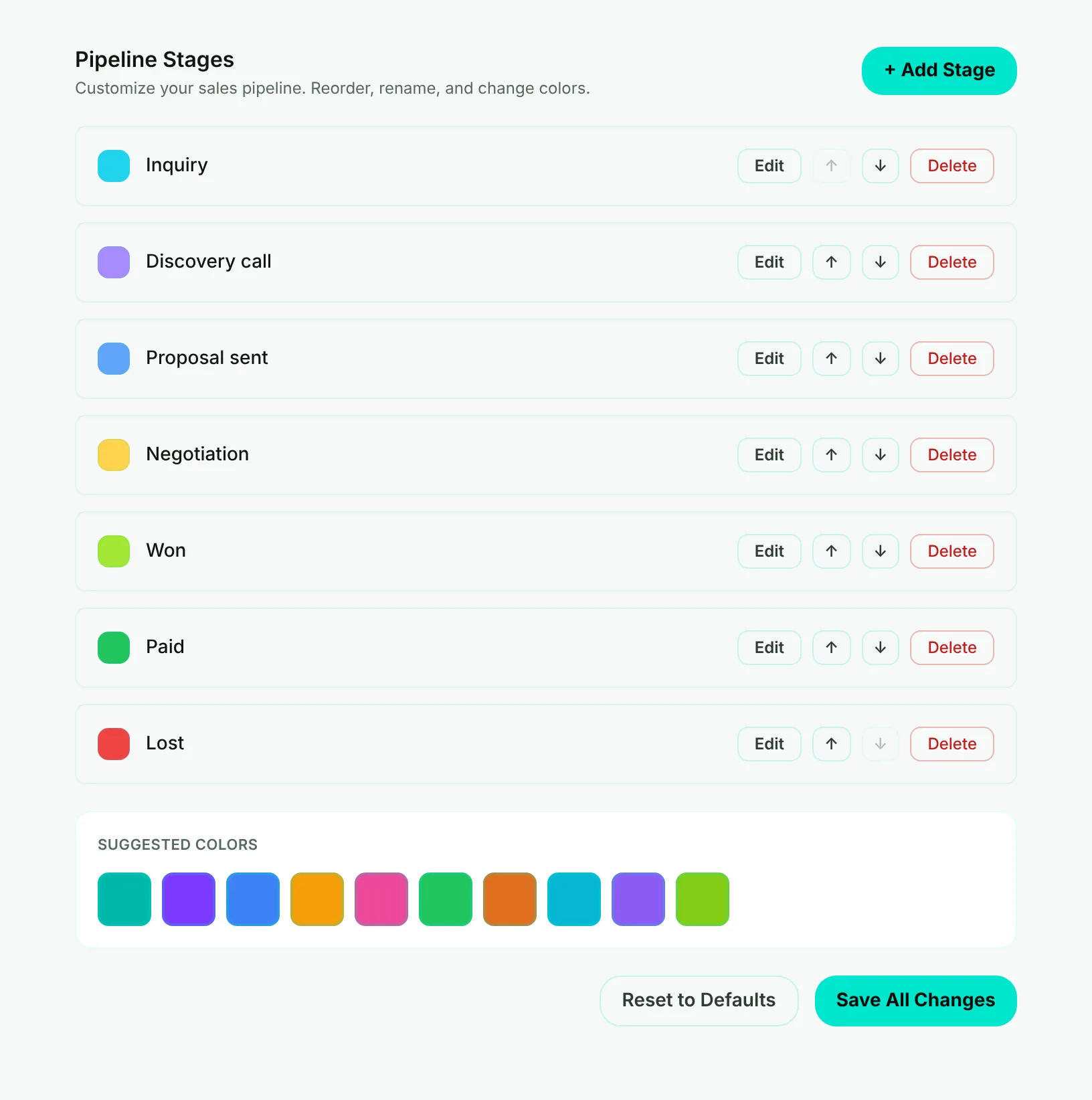
- Mark 1: Add Stage - adds a stage at the end, named New Stage. Rename it and move it where it belongs.
- Mark 2: Edit - change the stage's name and color.
- Mark 3: Move up and down - the order here is the order everywhere: the client page, the Deals board and reports.
- Mark 4: Delete - removes the stage. Disabled when only two are left.
- Mark 5: Save All Changes - saves every change at once. Until then, your team still sees the stages as they were.
Rename a stage or change its color
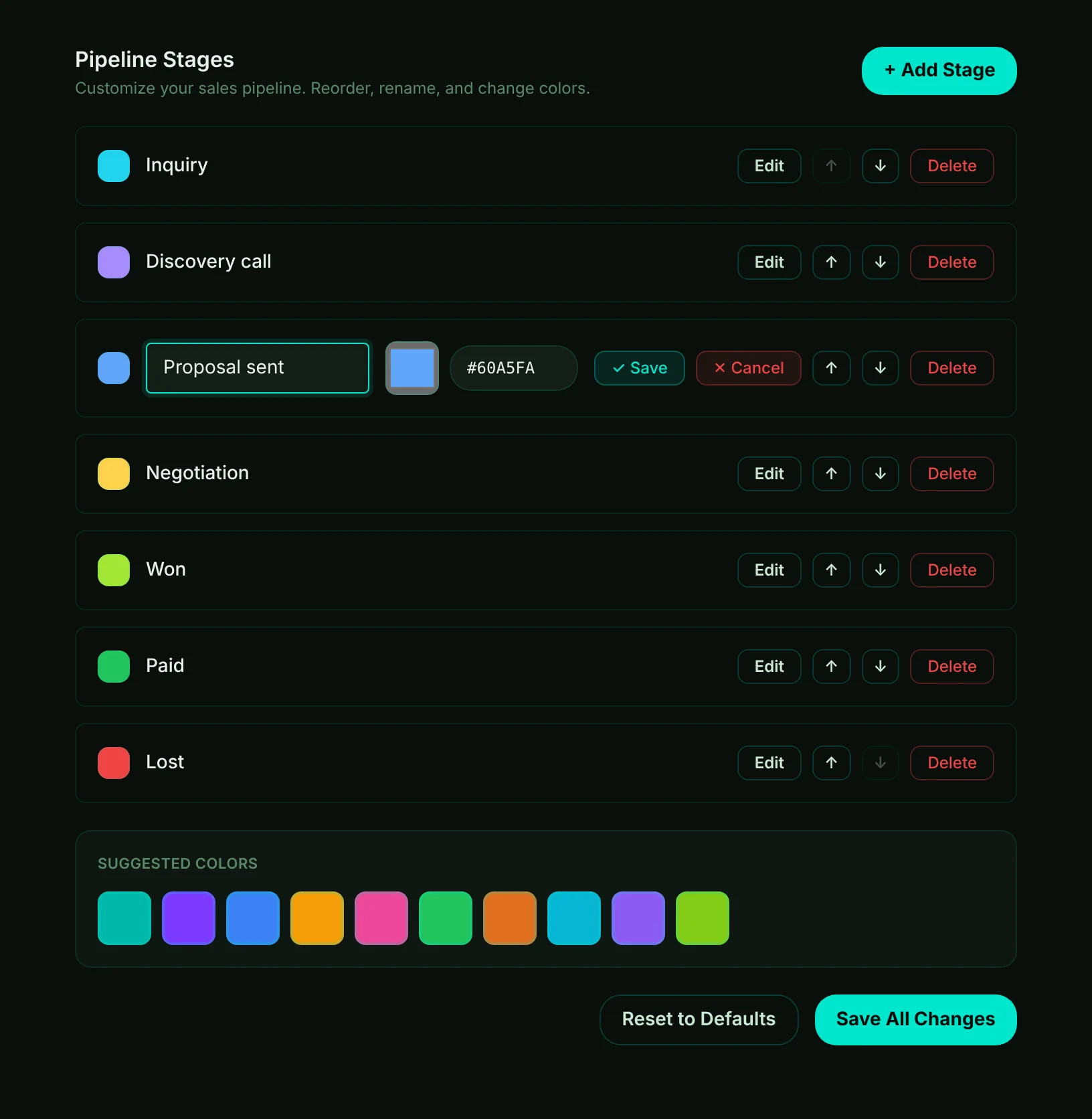
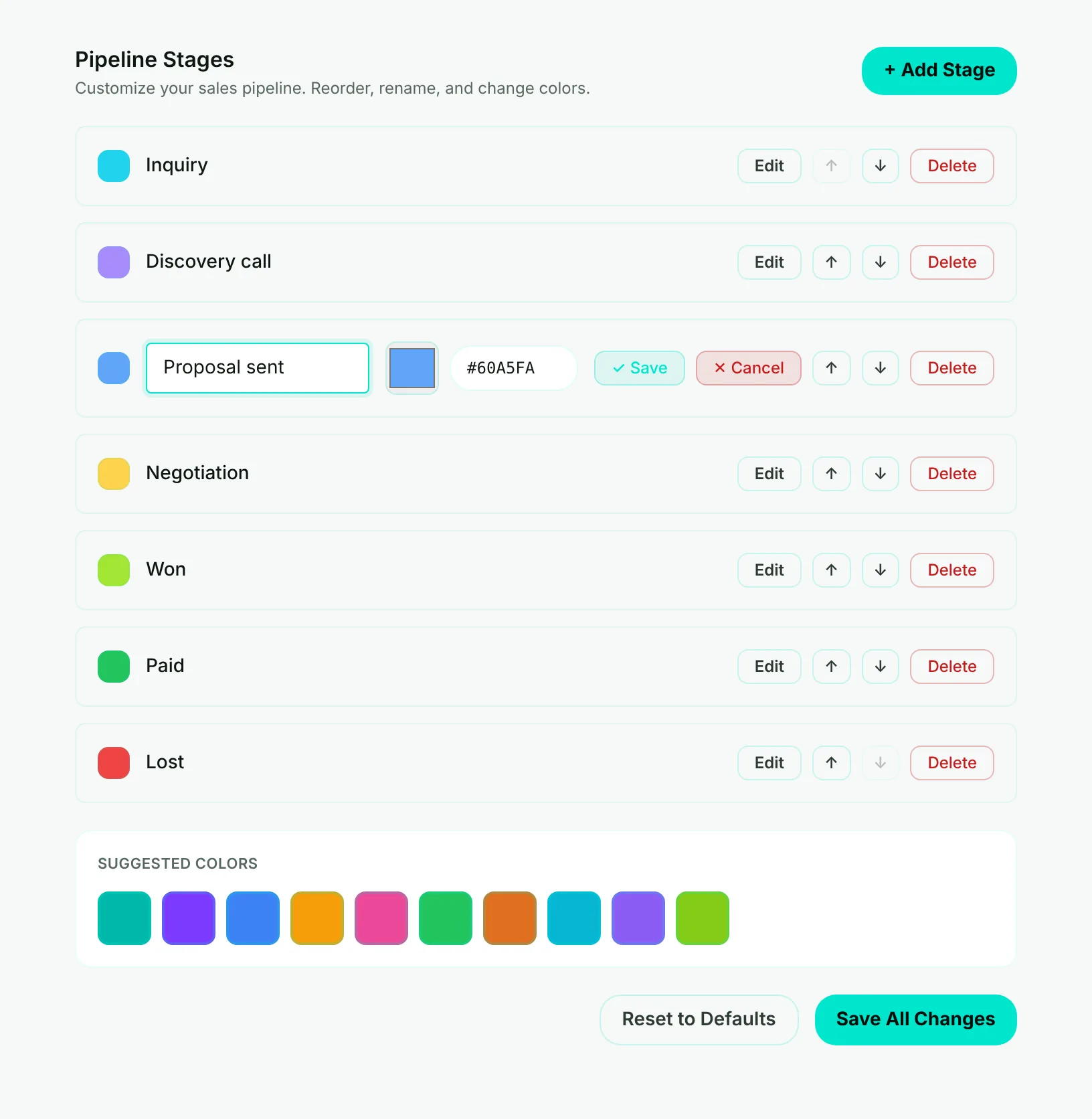
- Mark 1: The stage's name, as your team will see it.
- Mark 2: Its color - pick one, or type a color code.
- Mark 3: Save keeps the change on this page; Cancel drops it.
- Mark 4: Suggested colors - while a stage is open, click one to use it.
- Choose Edit on the stage. Its name and color open for changes.
- Change the name or the color, then choose Save. The stage shows its new name and color here.
- Choose Save All Changes. Clients and deals in that stage stay in it and show the new name.
Before you delete a stage
Each client and deal remembers its stage by a fixed reference, not by the name. Renaming is always safe. Deleting is not: a client still in a deleted stage shows that reference instead of a stage name and drops out of the pipeline views until someone moves it to another stage. Adding a new stage with the same name does not bring them back.
Important
Move the clients and deals out of a stage first, or rename the stage instead of deleting it.
Reset to Defaults puts back the starting stages. It also waits for Save All Changes, so you can look before anything changes.